 Documentation v0.10
Upload a schema
All data objects contain or are associated with a schema. This is an example of a schema (sub-type = table).

Schema objects of the type ‘Table’ can be loaded as .csv files from a repository.
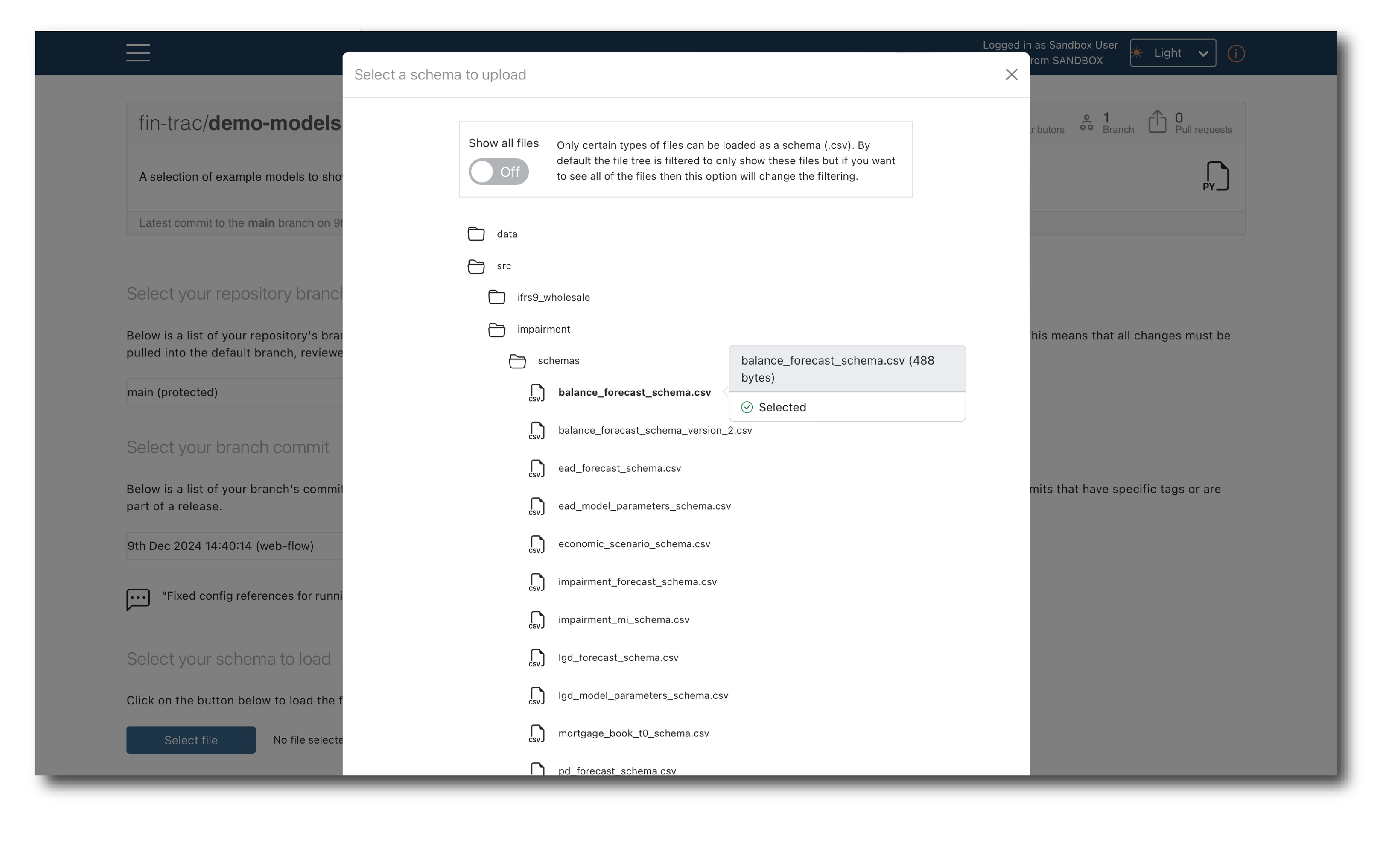
First log-in, then select the branch and commit, locate the schema file and click ‘Select file’. A pop-up window will appear showing the files that can be selected.
By default, only CSV files are shown but you can toggle to view the entire file structure.
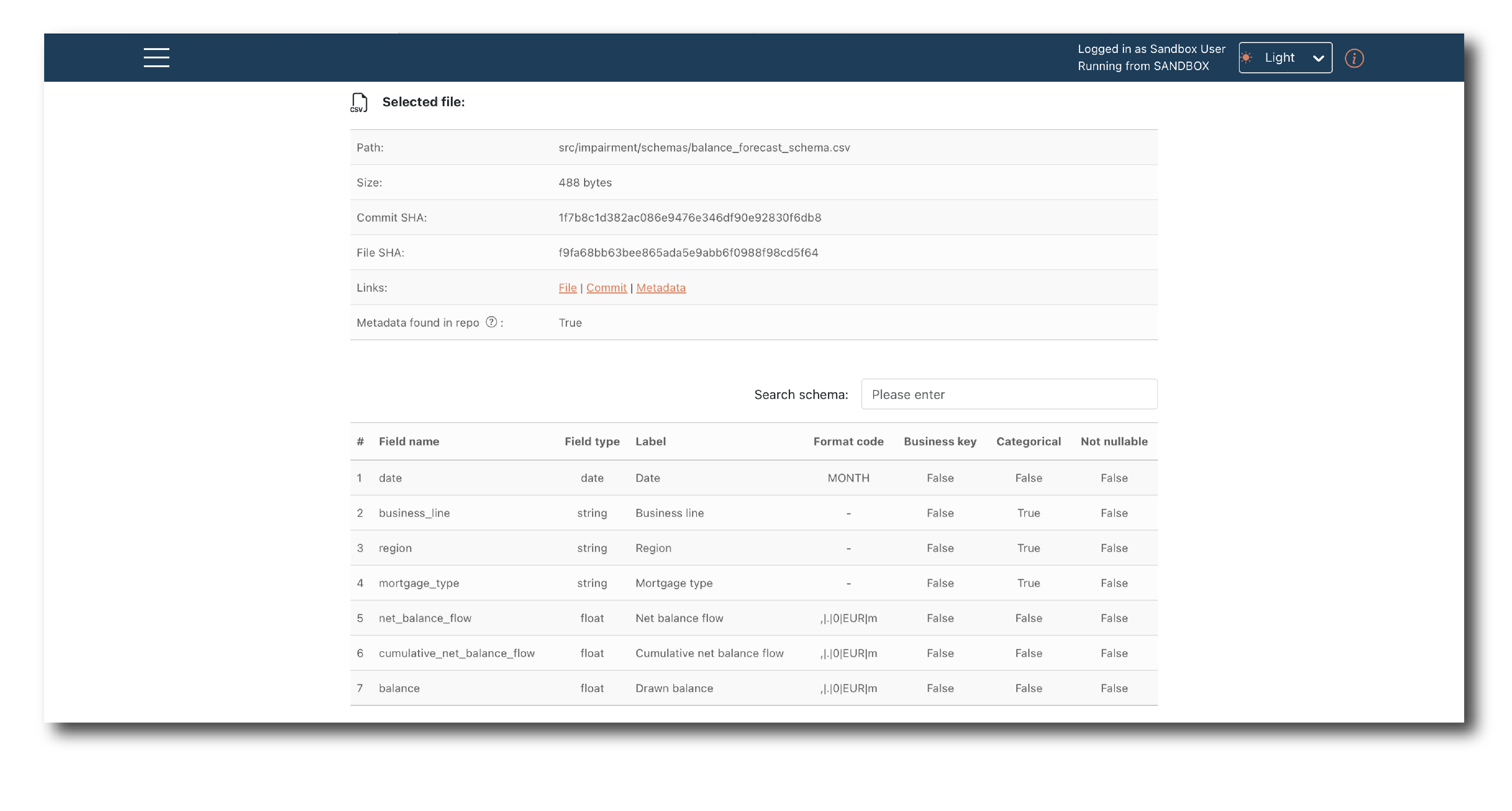
Once a schema file is selected, you can preview it before Uploading.
To complete the upload you must provide a Key, Name and Description and decide if the object will appear in search results. You can optionally assign a business segment.
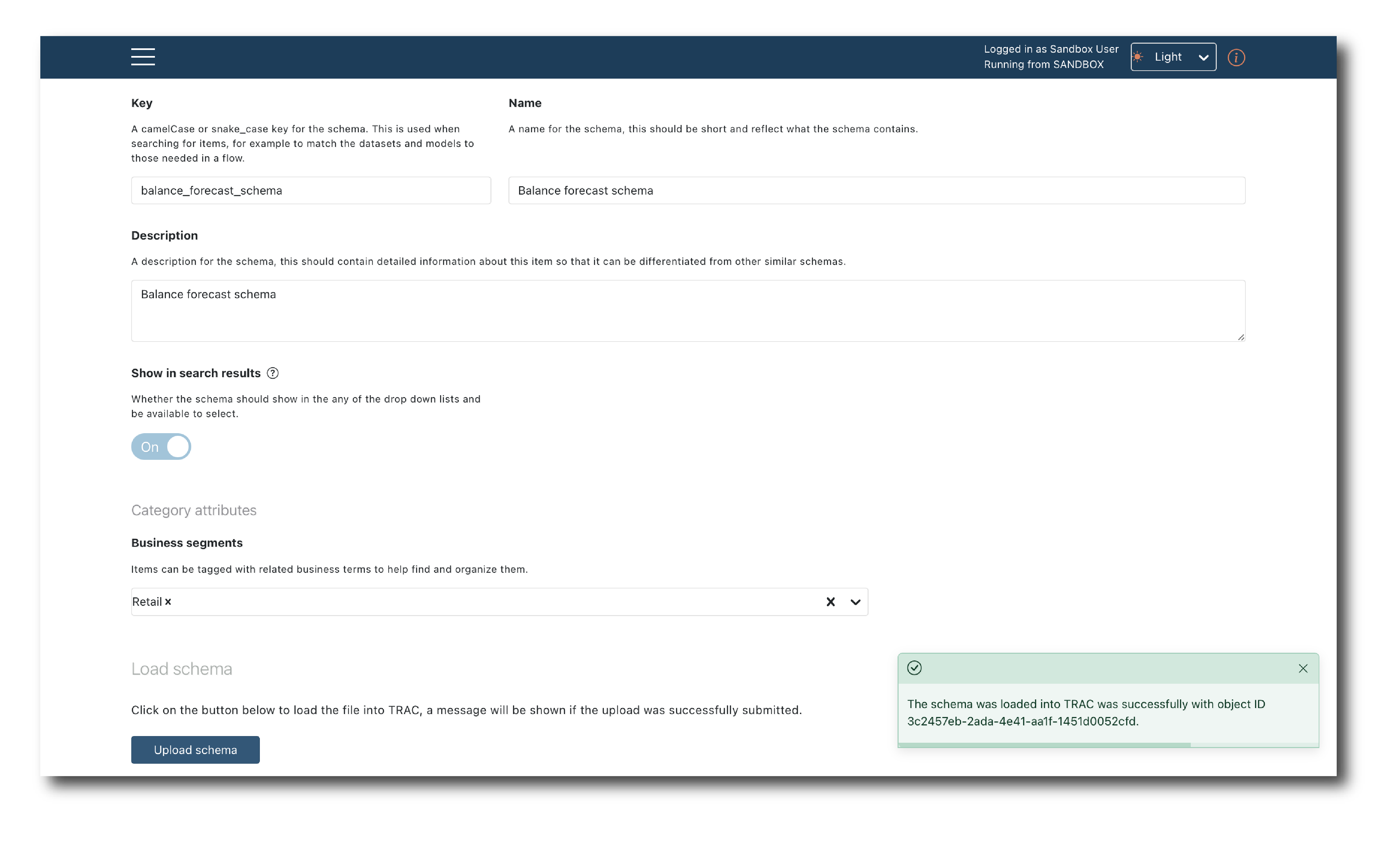
These tags are required whenever an object is created. They can be changed later via the (Re-tagging objects) page but it is better to set them correctly upfront.