 Documentation v0.10
Desktop installation
Note
If your organisation has an enterprise deployment, your system administrator can provide access — typically via SSO. In that case, skip ahead to Load a model.
A free-to-use desktop edition is available on Docker Hub. To get started, run this command in your Docker Desktop terminal:
docker pull fintrac/trac-desktop:latest
You should now see the image listed. Click the run icon and expand the optional settings.
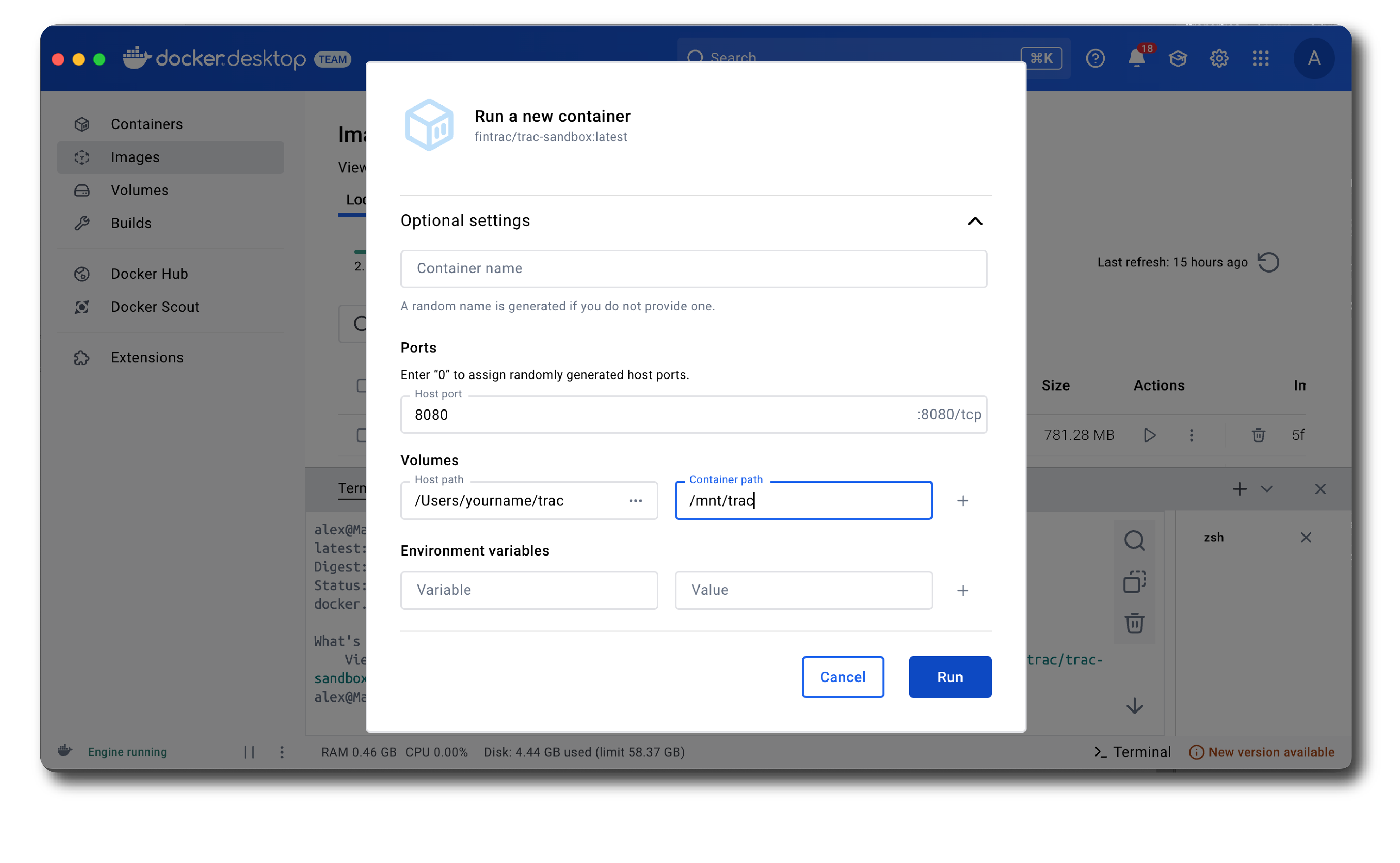
Set the host port to 8080 and the container path to /mnt/trac. For the host path, create an empty folder on your local machine and select it.
Click ‘Run’. After a minute you should see a message confirming the service is up and running.
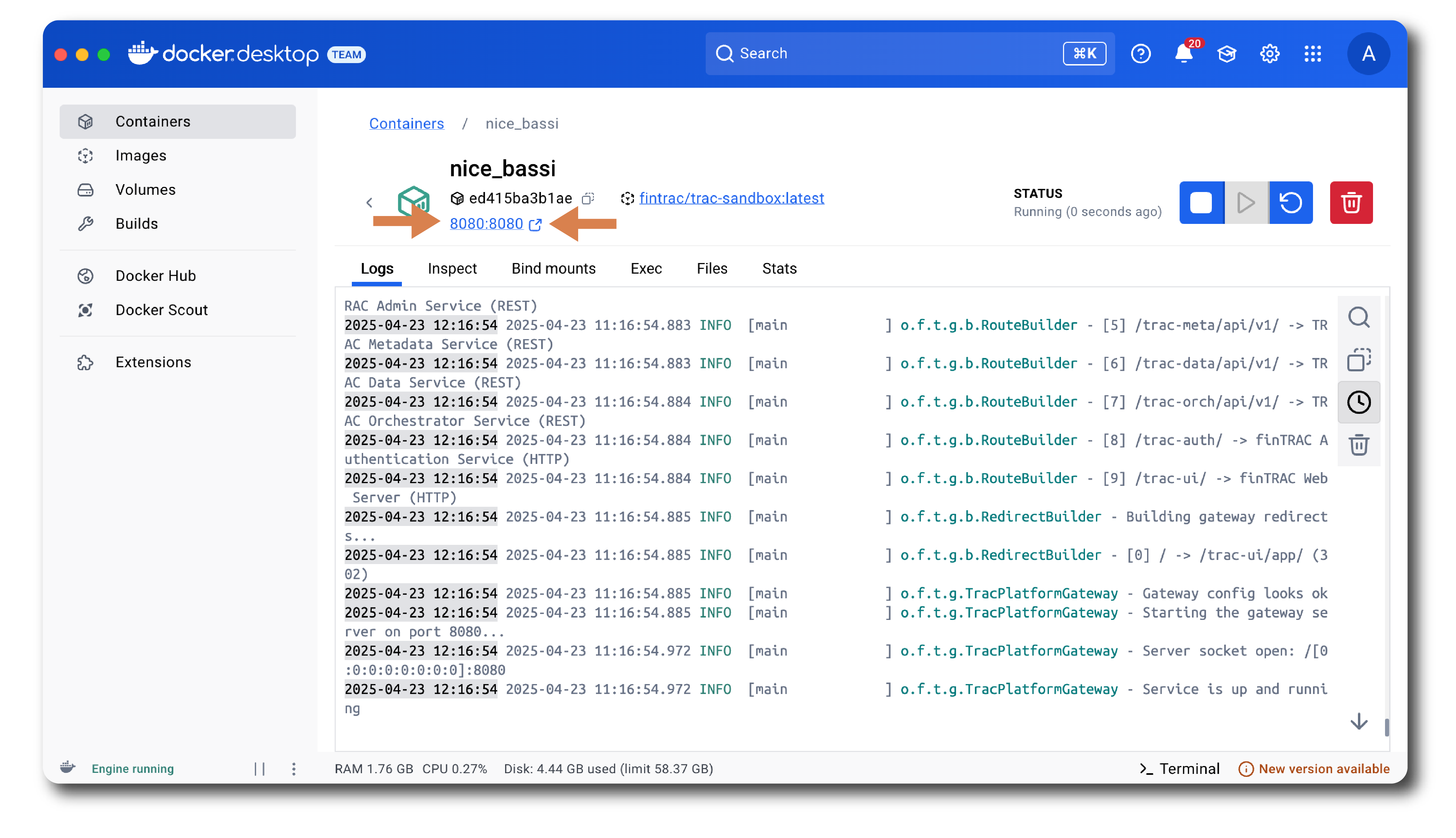
Click on the host port link to open the application.
Note
Running trac Desktop inside a corporate network? You may need to install your organisation’s root certificate before trac can access external repositories. See Corporate firewall setup for instructions.