 Documentation v0.11
Data import jobs
An ImportData job copies files from an external storage location into trac, creating a dataset for each file. Up to 50 files can be imported in a single job.
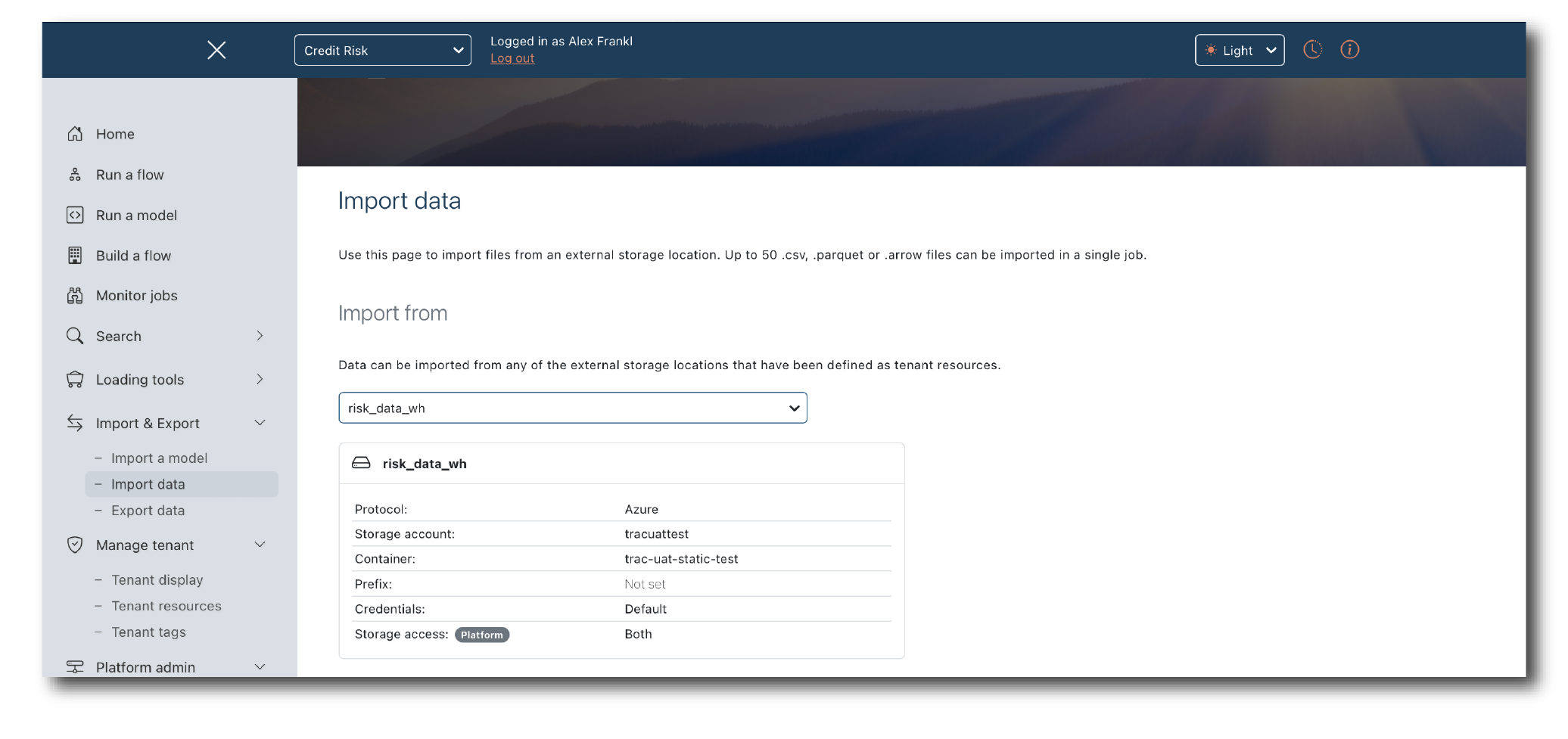
Select ‘Import data’ from the ‘Import & Export’ menu.
Choosing where to import from
Under ‘Import from’, select the storage location that holds the files. Its details are shown alongside, so you can check you have the right one.
Describing the datasets
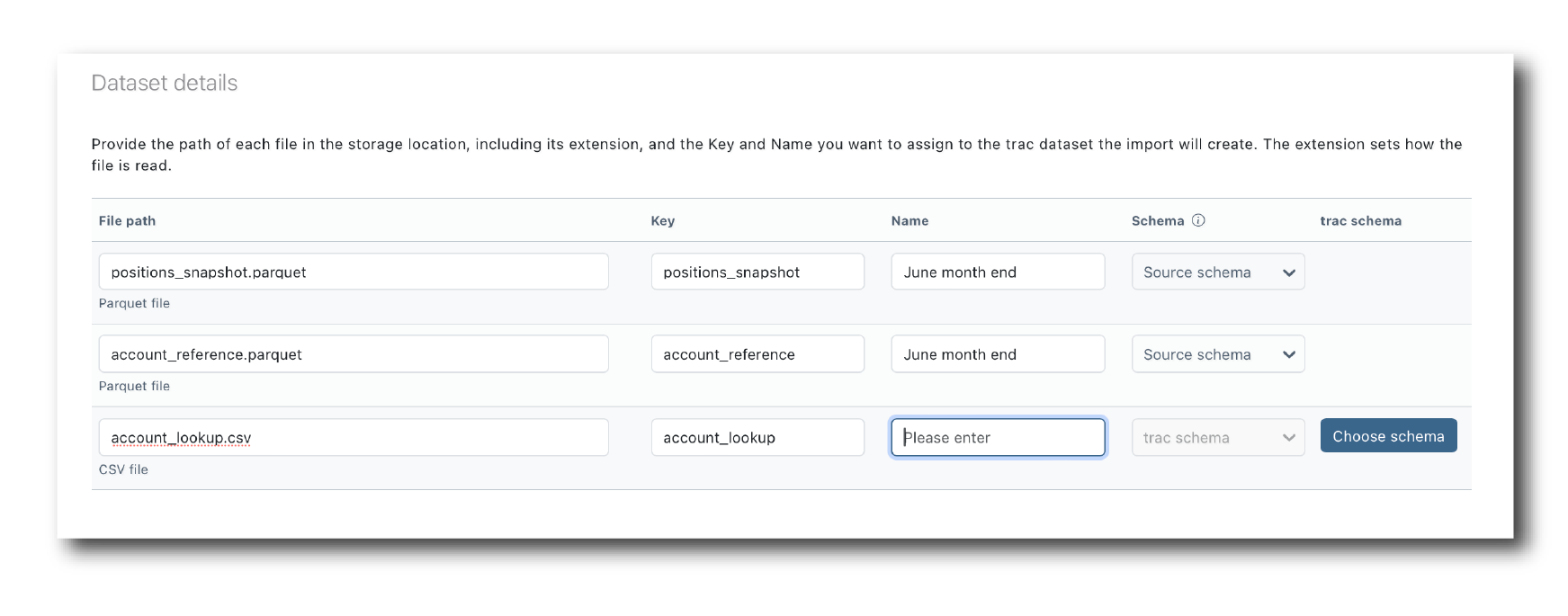
Under ‘Import details’, choose how many files to import, then for each file provide:
the file path in the storage location, including its extension (
.csv,.parquetor.arrow), which sets how the file is readthe Key and Name to give the dataset trac creates
the schema to read it with
Parquet and Arrow files carry their own schema, and can be imported with it or with a trac schema. CSV files have no schema of their own, so they need a trac schema: click ‘Choose schema’ and pick a schema object. The chosen version of the schema is fixed for the job, so the import can be reproduced exactly. See Upload a schema for creating schema objects.
Tagging the datasets
Under ‘Tag datasets’, select any business tags for the job. They are applied to every dataset the job creates.
Click ‘Submit’ to start the job, then follow its progress from ‘Monitor jobs’.
What the import records
Each imported dataset records where it came from: the storage location and path, and the file’s name, size, modification time and content hash. The original file is kept on the platform alongside the dataset, so what was imported can always be checked against its source.