 Documentation v0.9
Corporate firewall setup
If you are running trac Desktop inside a corporate network you may need to install your organisation’s root certificate to allow trac to access external repositories. The most common symptom is network connection errors when attempting to access GitHub.
Note
In Professional and Enterprise deployments, the root certificate can be provided as part of the installation process via system configuration. Contact your system administrator if you are unsure whether this has been set up.
Finding your root certificate
Open Chrome, navigate to any external website and click the security icon next to the address bar. Click on the certificate to open the certificate viewer.
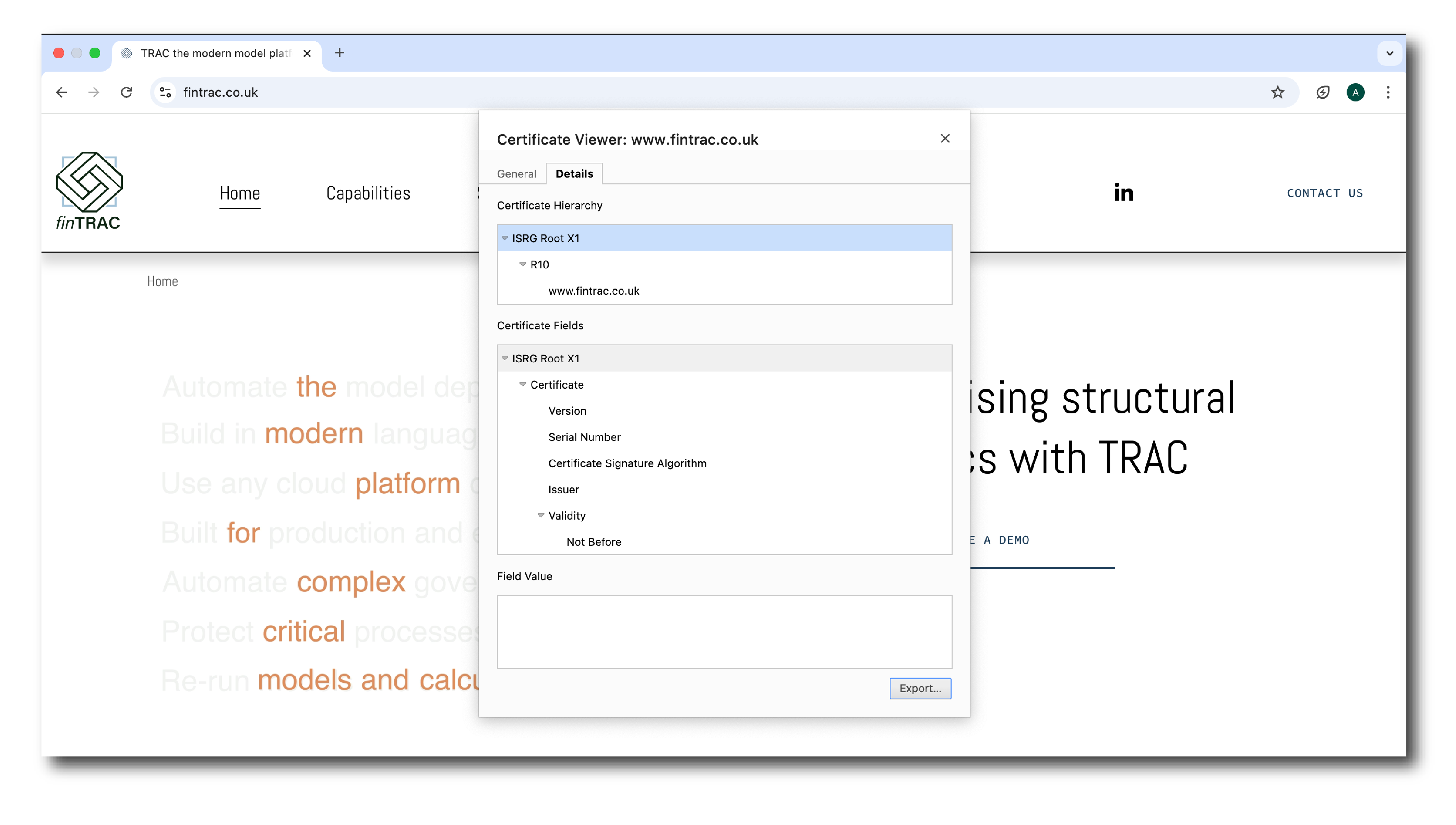
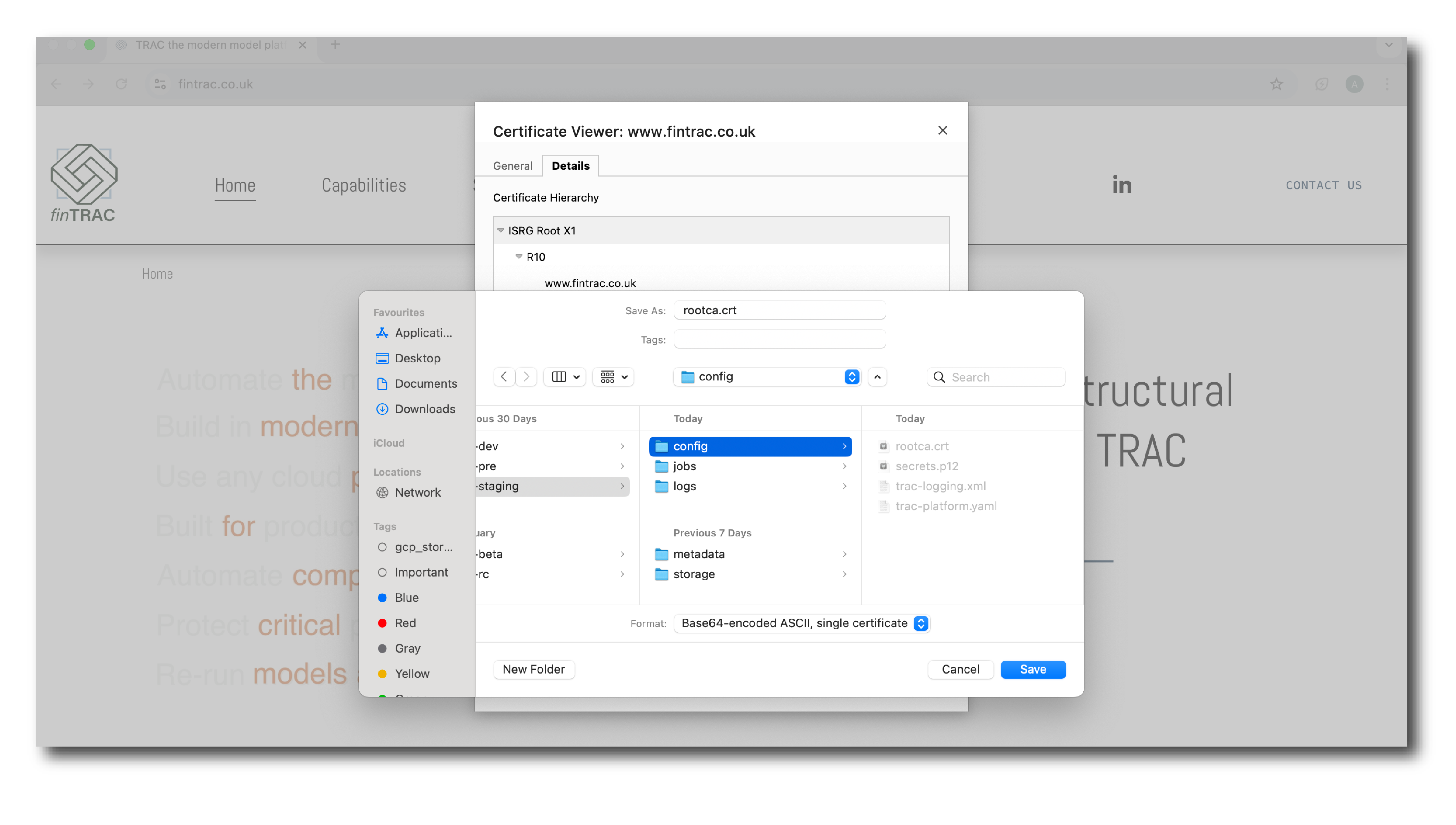
Select the root certificate and export it.
Installing the certificate
Place the exported certificate file in the config folder inside your trac data directory
(the host path you assigned when setting up the Docker container). The filename must be
lowercase with no spaces and end in .crt.
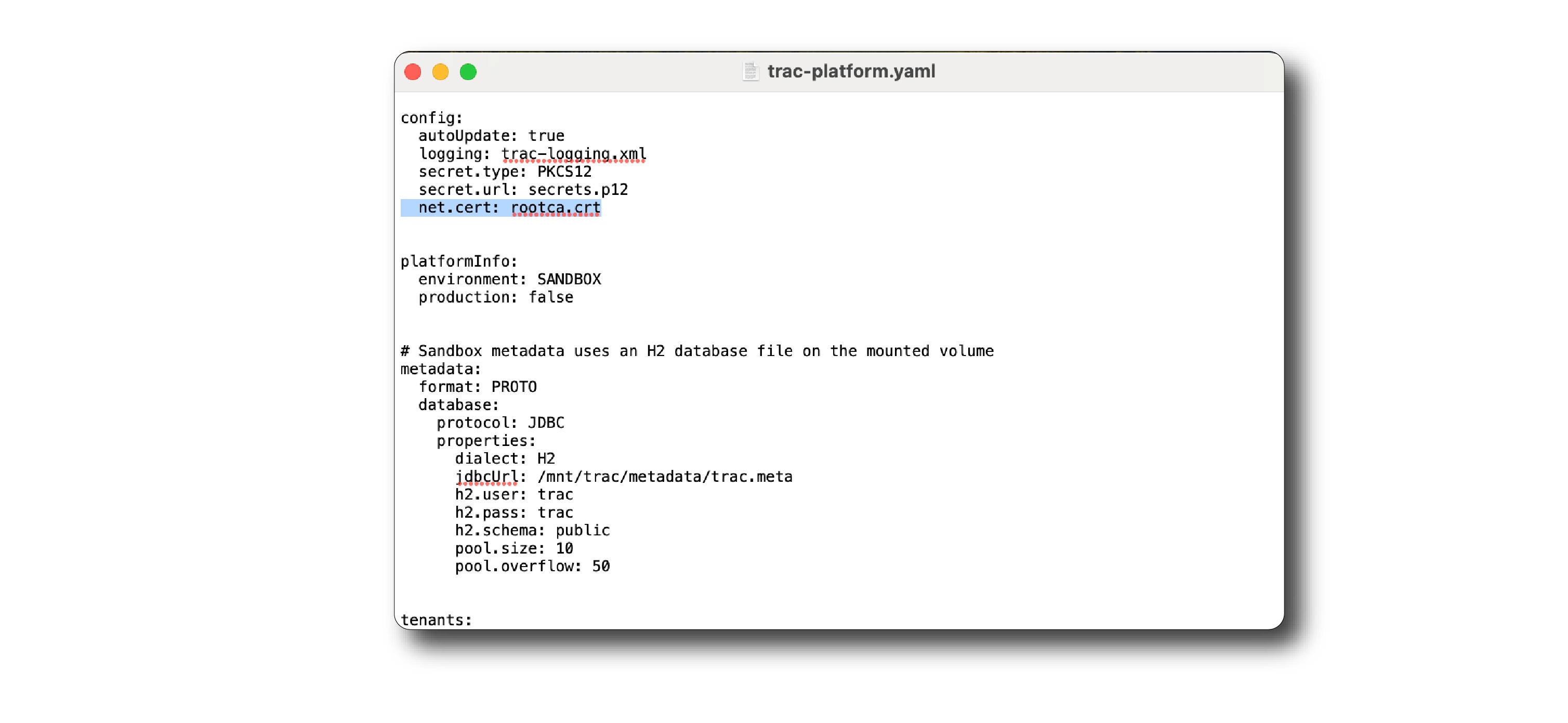
Open the trac-platform.yaml file in your trac data directory and add a reference to
the certificate file in the top section, as highlighted below.
Restart the Docker container for the change to take effect.